Forms that branch like a real conversation.
Eleven field types. Branch logic on any answer. Every input maps to a Planning Center field of your choosing.
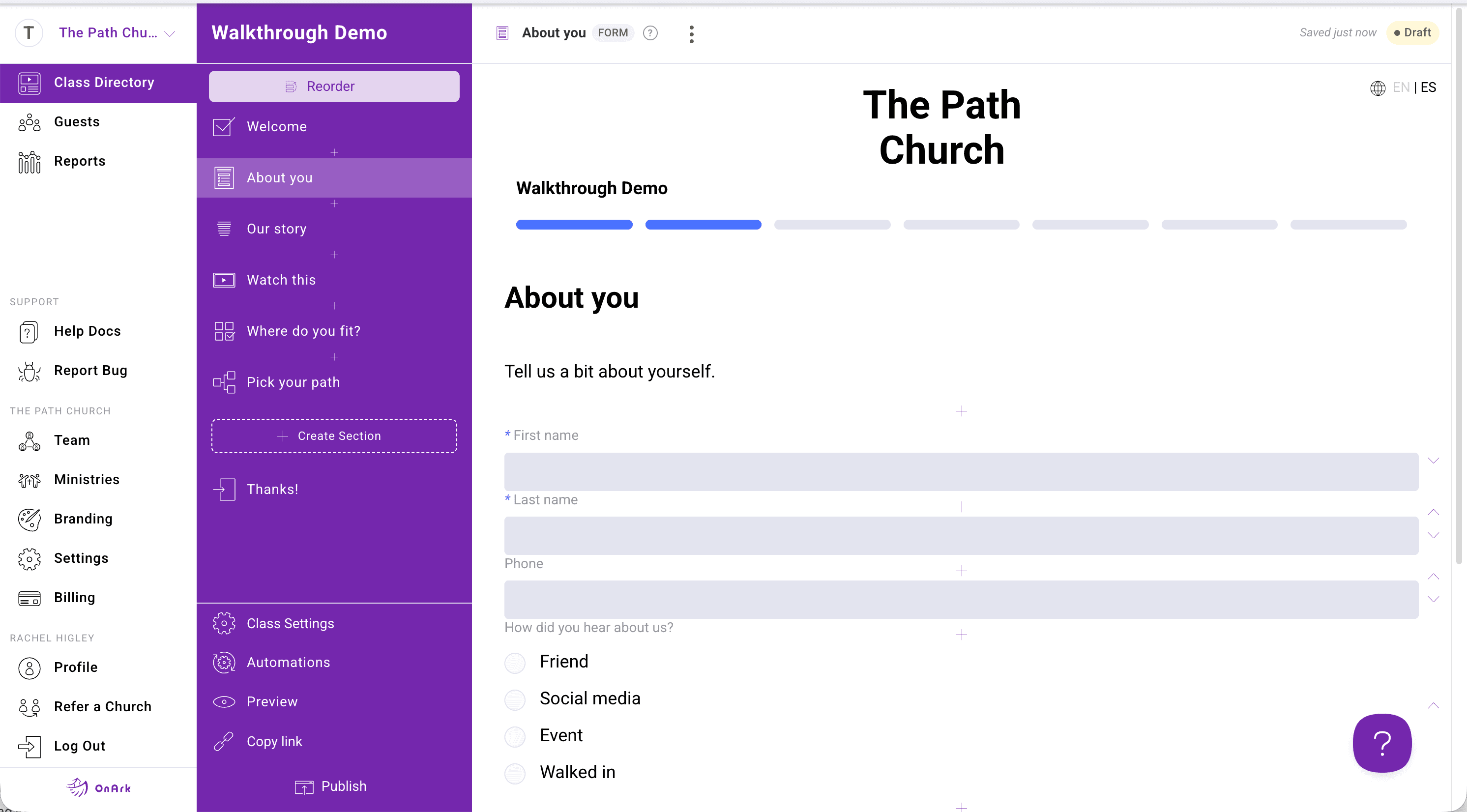
The OnArk admin — captured from a real church account.
A form section in OnArk is the catch-all for anything that isn't a video or a test. Short text, paragraph, dropdown, radio, checkbox, date, time, file upload, admin file download, display-only text block, and a ministry-team selector that integrates with your published ministries.
Every field maps to a PCO People profile field. When the guest submits, OnArk writes their answer to the right column on their PCO record — no CSV exports, no copy-paste. Required-field validation runs client-side; admin-set conditions can branch the rest of the class based on any answer.
The ministry-team field is the killer one most churches care about: it lists your published ministries with descriptions, lets the guest indicate interest, and writes their picks to PCO. If you wired up an automation, the right team leader gets emailed the moment that guest submits.
- Short text, paragraph, radio, checkbox, dropdown
- Date and time pickers (DOB ready for PCO)
- Guest file uploads + admin-provided downloads
- Display-only text blocks for instructions
- Ministry team selector with recommend/hide toggles
- Required-field validation
Included on every plan.
“Before OnArk, volunteer onboarding was a hassle for our church and our staff. After OnArk, the process is streamlined and we're processing a record number of new volunteers.”
Chuck · Communications / Tech · Harmony Hill · 1,000–2,500 weekly
Hand-offs that actually happen.
When a guest finishes a step, the right pastor gets the right notification with the right context. Email triggers, PCO Workflow assignments, profile field updates — all configured per class, no code.
04 · CustomizationsYour church's brand, not ours.
Your colors, your logo, your fonts, your domain. Guests never feel like they left your site. Course URLs live at onark.app/yourchurch/classname or your own custom domain on paid plans.
Try forms in your first class.
Build free. Every feature unlocked. You only pay when you publish to your church.