Drop in videos guests actually watch.
Drop a video into a class section, set a few timestamp prompts, and watch completion rates climb.
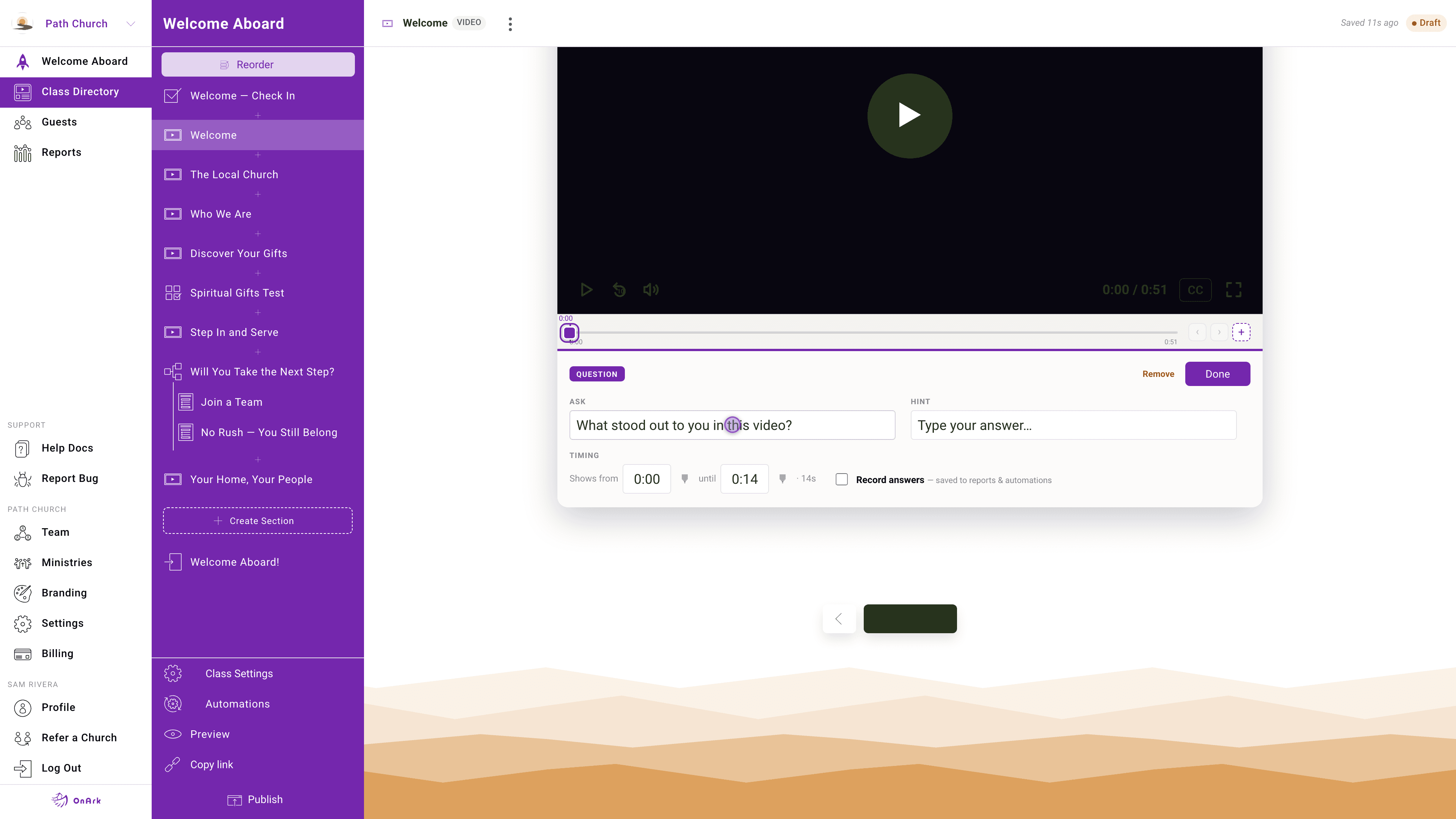
The OnArk admin — captured from a real church account.
Most "training video" tools assume you want a passive watch. OnArk's video section is the opposite — it's designed for content where you actually want to know if the person was paying attention. You set prompts at specific timestamps (a fill-in-the-blank, a multiple choice, a free-text question), the video pauses, the guest answers, and the answer lands in the same submission record as their form data.
YouTube and Vimeo embed natively. Or upload your own MP4 if you don't want a public listing. Either way, playback is mobile-optimized — the majority of OnArk guests are on their phone, often on the way home from Sunday service.
There's no separate "video quiz" view to manage. Add the video to a section, add the prompts, done. Pastors looking at the guest's record in OnArk or Planning Center see one clean response.
- YouTube, Vimeo, and direct video uploads
- Timestamp-based question prompts
- Answers persist into the same submission as form data
- Mobile-optimized playback
Included on every plan.
“We have a great process for online small group leadership training. Every leader has completed it, and I pull responses to share as highlights in our monthly newsletters.”
Cary · Discipleship / Next Steps · Harvest · 5,000+ weekly
Forms that branch like a real conversation.
Eleven input types covering everything from short text and dropdowns to file uploads and team-suggestion components. Required-field validation, branch logic on any answer, full PCO field mapping.
05 · AutomationsHand-offs that actually happen.
When a guest finishes a step, the right pastor gets the right notification with the right context. Email triggers, PCO Workflow assignments, profile field updates — all configured per class, no code.
Try videos in your first class.
Build free. Every feature unlocked. You only pay when you publish to your church.